4 min read
As one of the largest telecom and cable providers in the United States, Cox Communications serves customers in more than 20 states, each with its own 811 centers, regulations, and response requirements.
Cox needed a more structured, scalable approach to managing locate requests, improving vendor oversight, and reducing unnecessary field work, all without increasing risk as ticket volumes grew and operations expanded.
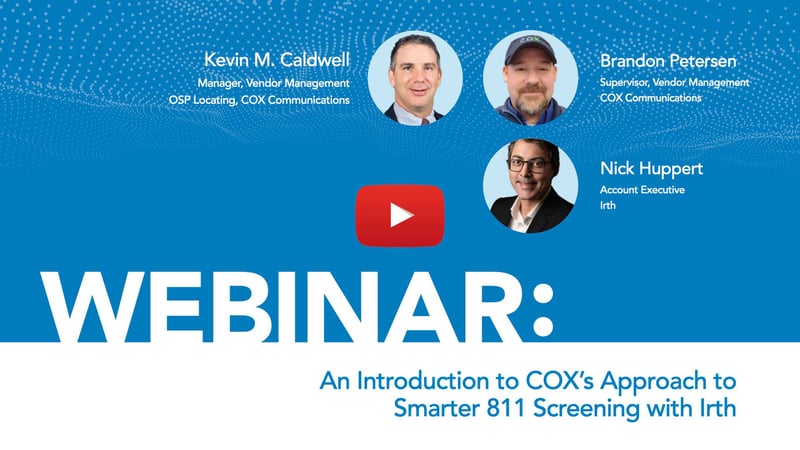
In a recent webinar, Kevin Caldwell and Brandon Petersen, leaders from Cox’s vendor management team, shared how they built a centralized 811 screening function and leveraged Utilisphere to modernize their damage prevention operations.
The Challenge and Cox’s Response
Since Cox operates in more than 20 states, it faced a complex and fragmented 811 ticket environment. Without a centralized approach, inefficiencies in managing 811 tickets compounded quickly.
Four years ago, Cox created the vendor management team to bring structure and oversight to the 811 ticket lifecycle — from the moment a ticket is received to when a locator is dispatched (or not). The 12-member 811 screening team serves as the connective tissue between Cox’s OSP locating vendors, internal construction departments, and state 811 centers.
Cox’s screeners work remotely across the country. They manually review incoming tickets before they ever reach a field locator. The question each screener is answering: Does this ticket actually need someone on site?
An experienced screener works through a ticket in one to three minutes, and Cox’s year-one goal is to clear 5–10% of all tickets in-office — a percentage that adds up fast at Cox’s scale and translates directly into cost savings.
How Irth Powers the Screening Workflow
Cox uses Irth’s Utilisphere platform as its ticket management system. Petersen suggested companies that wish to use Utilisphere to manually screen tickets should:
- Remove dynamic routing: This ensures screeners have access to pick and choose tickets.
- Give screeners visibility to a variety of queues: Queues separated by region, area, and even priority level allow screeners to better prioritize.
- Enable related ticket history: Screeners can see if a locator had already been on site or had already cleared the ticket.
Several Utilisphere features have become foundational to how the screening team operates.
A Customizable Splash Page
Each screener opens Irth to a configurable splash page that surfaces the information most relevant to their decision, including:
- Ticket ID
- Work type
- Code (duplicate tickets and why)
- Ticket type (emergency, revision, regular)
- Address
- GPS coordinates (critical when addresses are incomplete)
- Excavator details
- Ticket history
- And more
Having this information front and center — rather than buried in multiple screens — keeps screeners moving efficiently. Petersen recommends keeping your page size to 10 or 15 columns to keep information visible without having to scroll.
Advanced and Saved Search Filters
One of the most valuable capabilities for Cox’s team is Irth’s advanced search functionality — and the ability to save those searches per user. Screeners can build filters that surface only the most screenable tickets: today’s date, pending-research status, unassigned tickets, and specific work types or ticket text.
Cox uses partial-word searches (e.g., “landscap” instead of “landscaping”) to capture variations in how excavators enter work types. Screeners can save multiple named searches and switch between them — allowing them to target different categories of screenable tickets throughout the day.
Related History and Map Integration
Within each ticket, screeners can view the full location history and check whether a locator has already visited — potentially clearing a ticket without a second dispatch. Irth’s built-in map also lets screeners overlay Cox’s plant data, switch to street view, and look for drop lines or risers that might affect the decision. This layer of visual verification takes seconds and provides an additional check before clearing.
One-Click Clear or Send-to-Vendor Actions
Once a decision is made, Irth’s dropdown menu at the top of each ticket allows screeners to either clear in office (automatically sending a positive response to the 811 center) or send to vendor (routing the ticket to the appropriate locating company). Keyboard shortcuts further accelerate this workflow. Screeners can also mass-assign and mass-act on tickets through the splash page — though Cox deliberately caps individual batch sizes at three to five tickets to prevent errors.
Built-In Safeguards
Even with a dedicated team, Cox recognizes that not every ticket can be reviewed. To maintain compliance and service levels:
- Tickets automatically route to vendors if not reviewed within defined timeframes
- Emergency tickets are prioritized and auto-dispatched quickly
- State-specific SLAs are built into the workflow
This ensures that screening enhances operations without becoming a bottleneck.
What Cox Has Learned from 811 Ticket Screening with Utilitsphere
The program launched in October and the team has moved quickly. A few key takeaways:
- Advanced search and filtering capabilities were a game-changer. Petersen recommends setting these up from day one.
- Cherry-picking easy-to-clear tickets is not only acceptable — it’s the strategy. Low-hanging fruit delivers the highest ROI and volume of clears per hour.
- QA guardrails matter, especially early. Cox started by reviewing 100% of screener decisions. As the team matured, that dropped to roughly 2% daily.
- Automation is on the horizon. With the success of Utilisphere supporting Cox’s 811 creening team, Cox and Irth are evaluating how to bring automation — and Irth Insights — into the screening workflow. The goal is to auto-clear certain low-risk ticket categories without requiring a screener to touch them, freeing the team to focus on the harder calls that require human judgment.
Human Insight Powered by Smarter Technology
Cox’s screening program is a practical example of what becomes possible when the right people, the right process, and the right technology come together. Watch the full webinar today.
How Else Does Irth Improve 811 Ticket Screening?
Irth Insights for 811 Ticket Screening leverage AI to maximize clearing rates while minimizing risk. By analyzing historical ticket outcomes and human screening decisions, the platform helps damage prevention teams automatically identify which 811 tickets can be safely cleared and which require field locates. It reduces unnecessary truck rolls, improves field productivity, and gives screeners clear visibility into why recommendations are made. Organizations can further customize automation using configurable rules and thresholds that align with their operational priorities, while continuous model retraining ensures recommendations evolve alongside changing workflows and business needs.